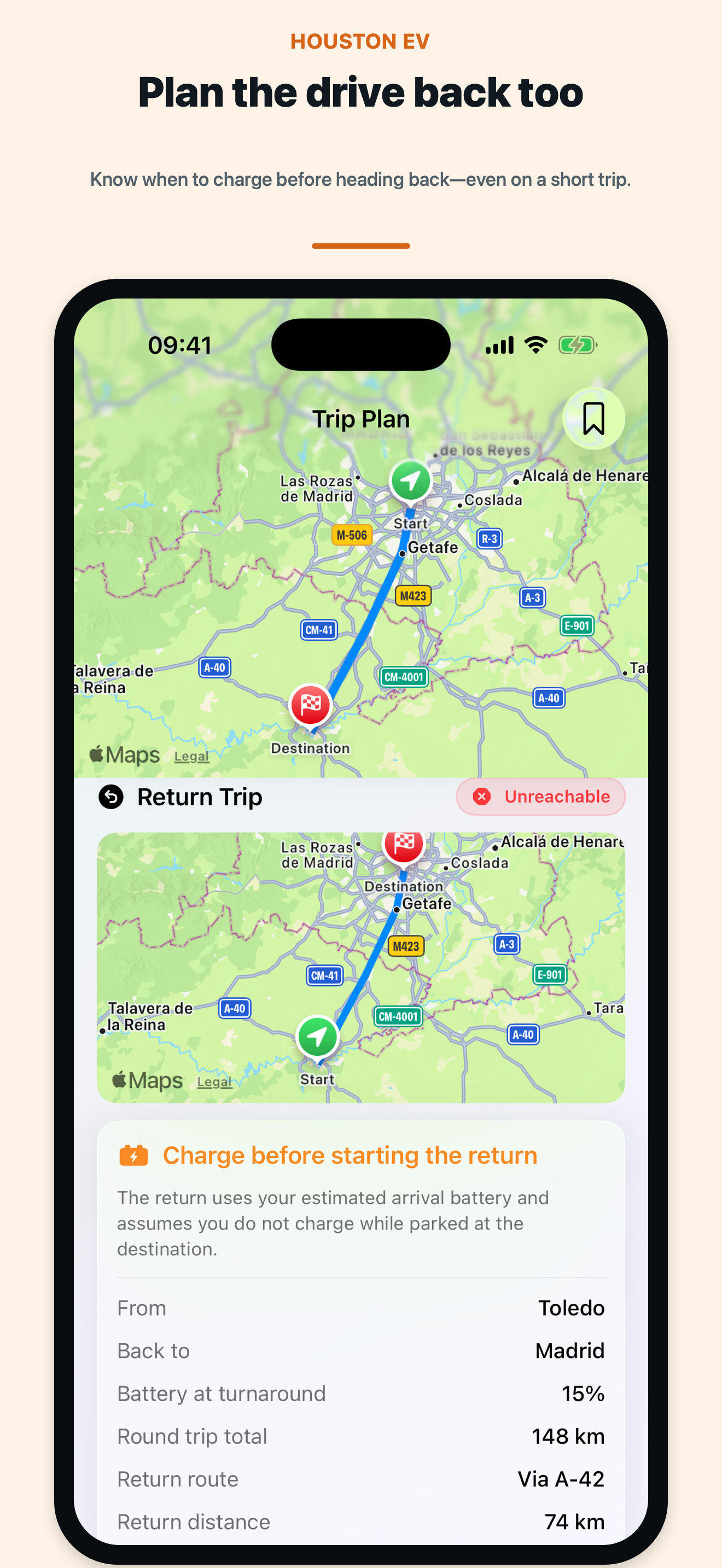
Round-trip planning
Calculate the return using the battery expected at your destination and see when you should charge before heading back.
Version 1.2 · Now on the App Store
Plan the journey and the drive back with battery-aware routes, compatible charging stops, and clear range checks.
New in version 1.2
Version 1.2 adds round-trip planning and a fuller nearby-charger search, alongside clearer route comparison and a simpler trip setup.
Calculate the return using the battery expected at your destination and see when you should charge before heading back.
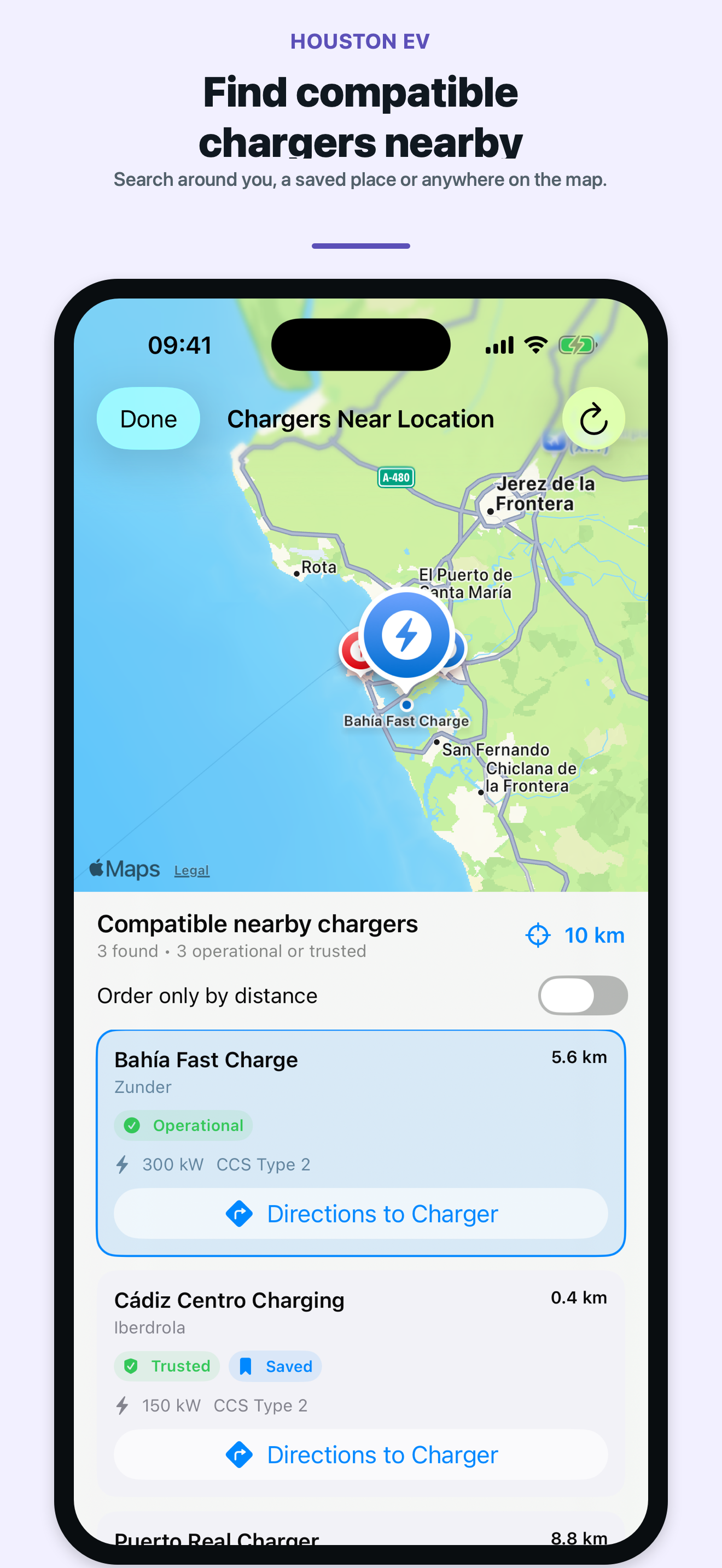
Search near your location, a favorite destination, or any point on the map using your vehicle and charger preferences.
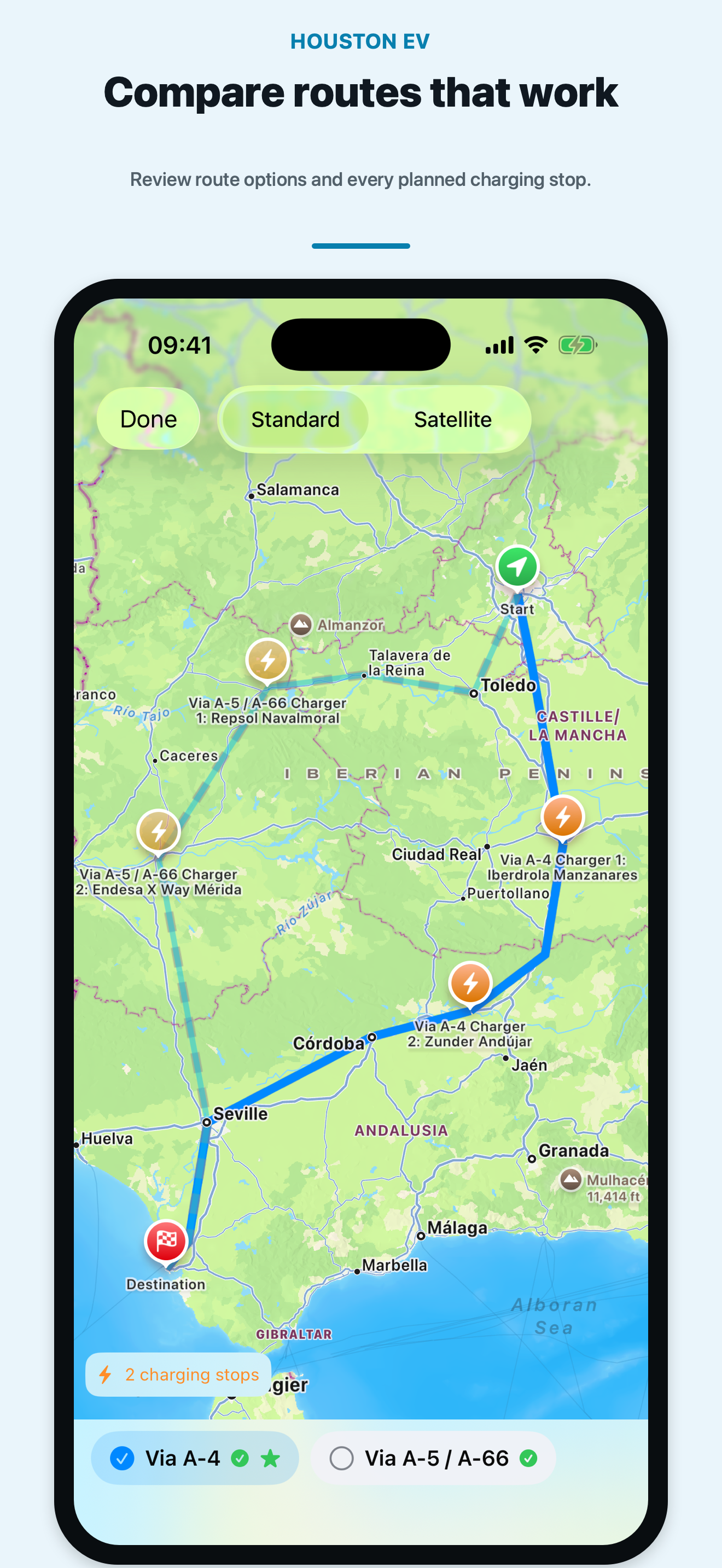
Compare practical alternatives with planned charging stops, distance, drive time, and expected arrival battery together.
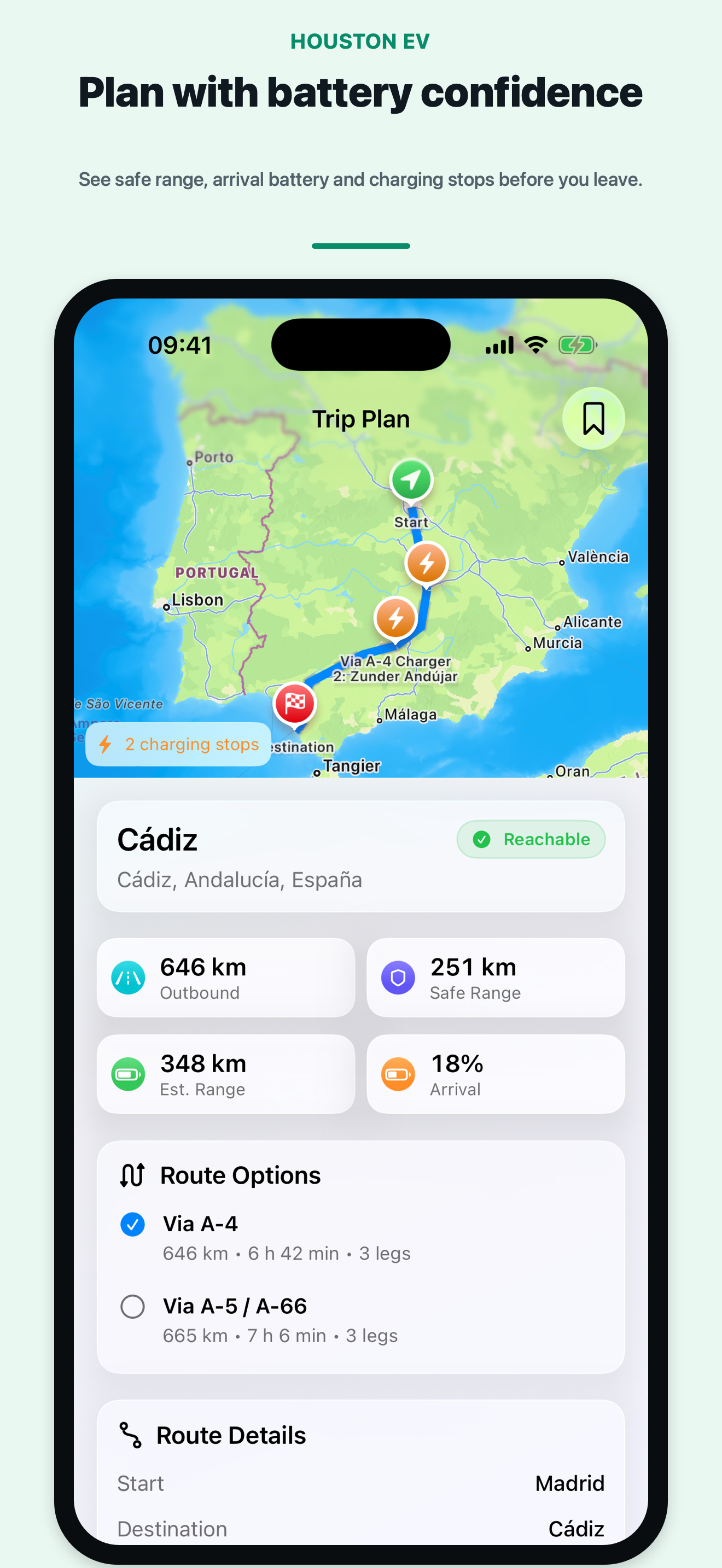
HOUSTON EV uses your vehicle, battery, consumption, reserve, connector, and power requirements to build a plan you can review before leaving.
See safe range, expected arrival battery, and whether each leg is reachable, risky, or needs a charging stop.
Keep favorite destinations, trusted chargers, saved trips, and charger-network preferences ready for future plans.
Send the next stop or route to Apple Maps, Google Maps, or Waze when you are ready to drive.
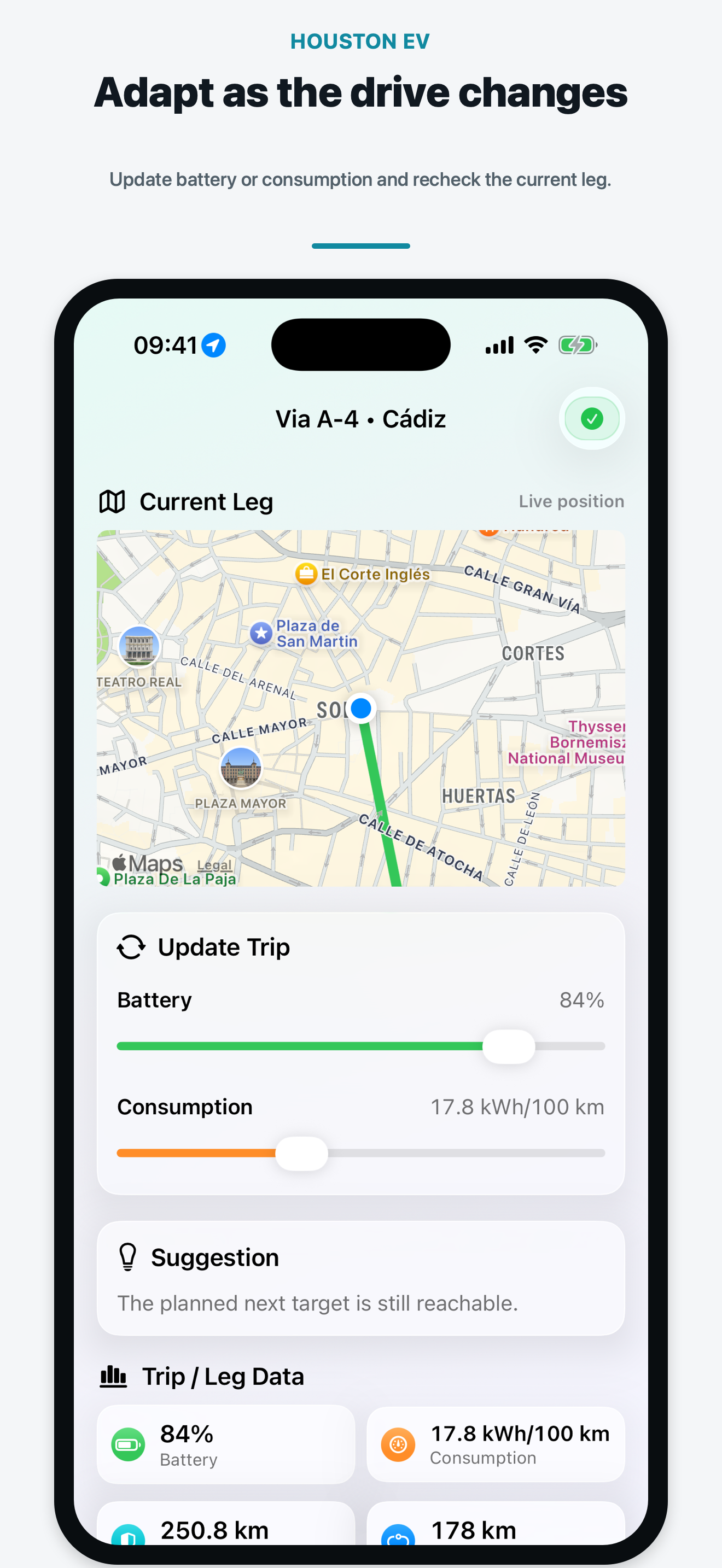
Update battery or consumption as conditions change, then recheck the current leg and suggested charging plan.
Keep the active trip synchronized while CarPlay presents a concise, driver-focused view of the next target.
Use the complete app interface in English or Spanish (Spain), including trip planning and CarPlay.
HOUSTON EV is a planning aid and does not provide live charger availability. Always verify charger status and the final route in your navigation app before driving.
Version 1.2 in action
These are the current App Store screenshots for HOUSTON EV 1.2.